HD High definition
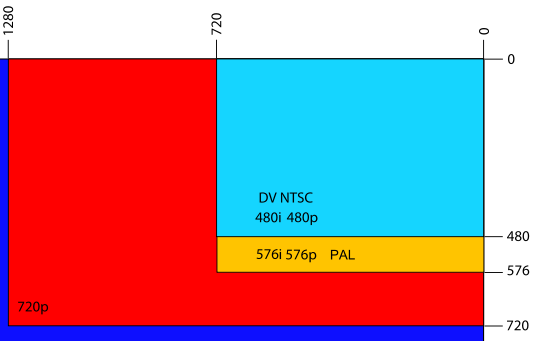
HD is the term used to differentiate the systems that generate, transmit or support HD content (High Definition) with those of standard definition or low definition (SD).
HD resolutions are usually at least 1280 x 720 pixels by taking the ratio "width x height". Being the height, 720 pixels, which make high resolution.
HDMI
The acronym "HDMI" stands for "High Definition Multimedia Interface".
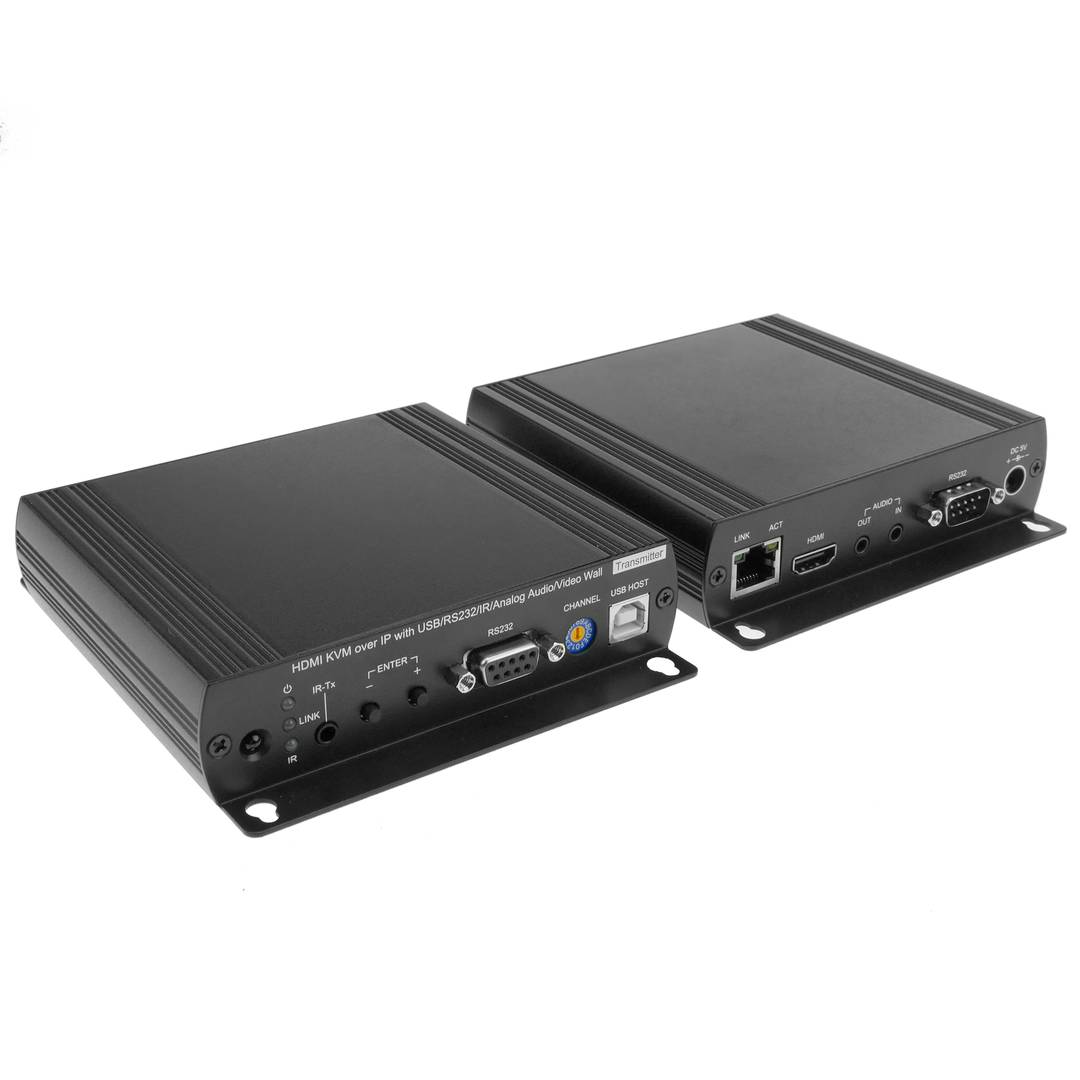
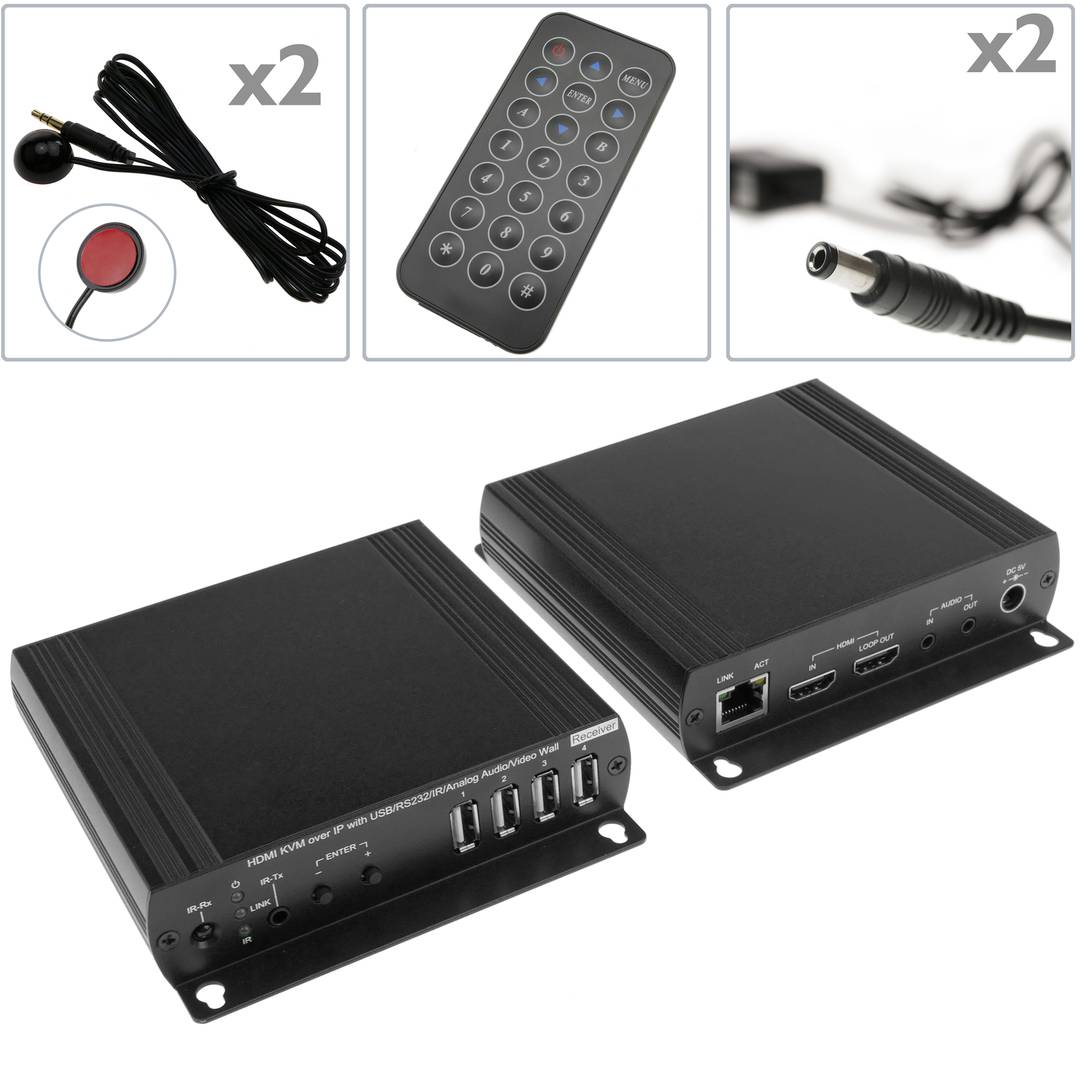
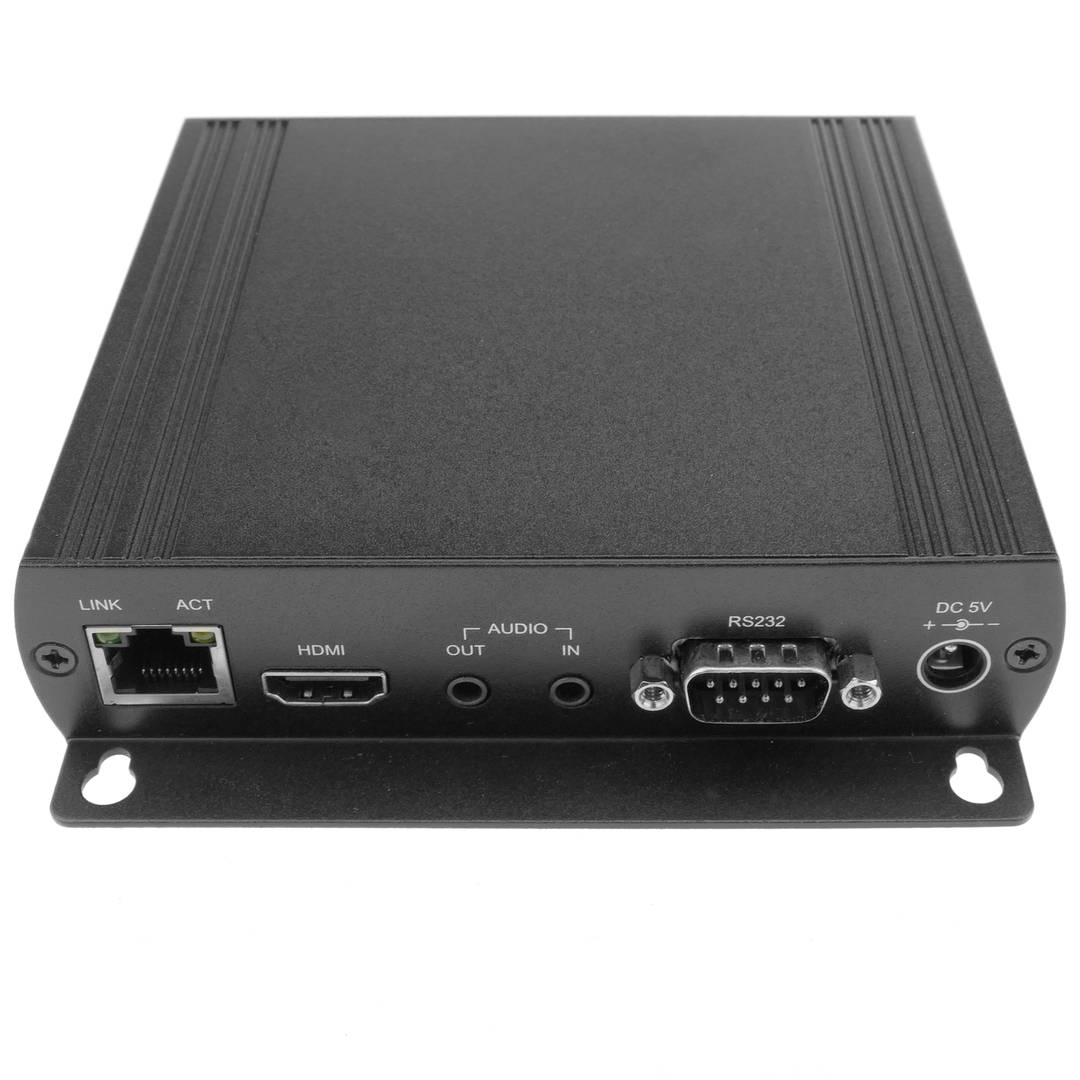
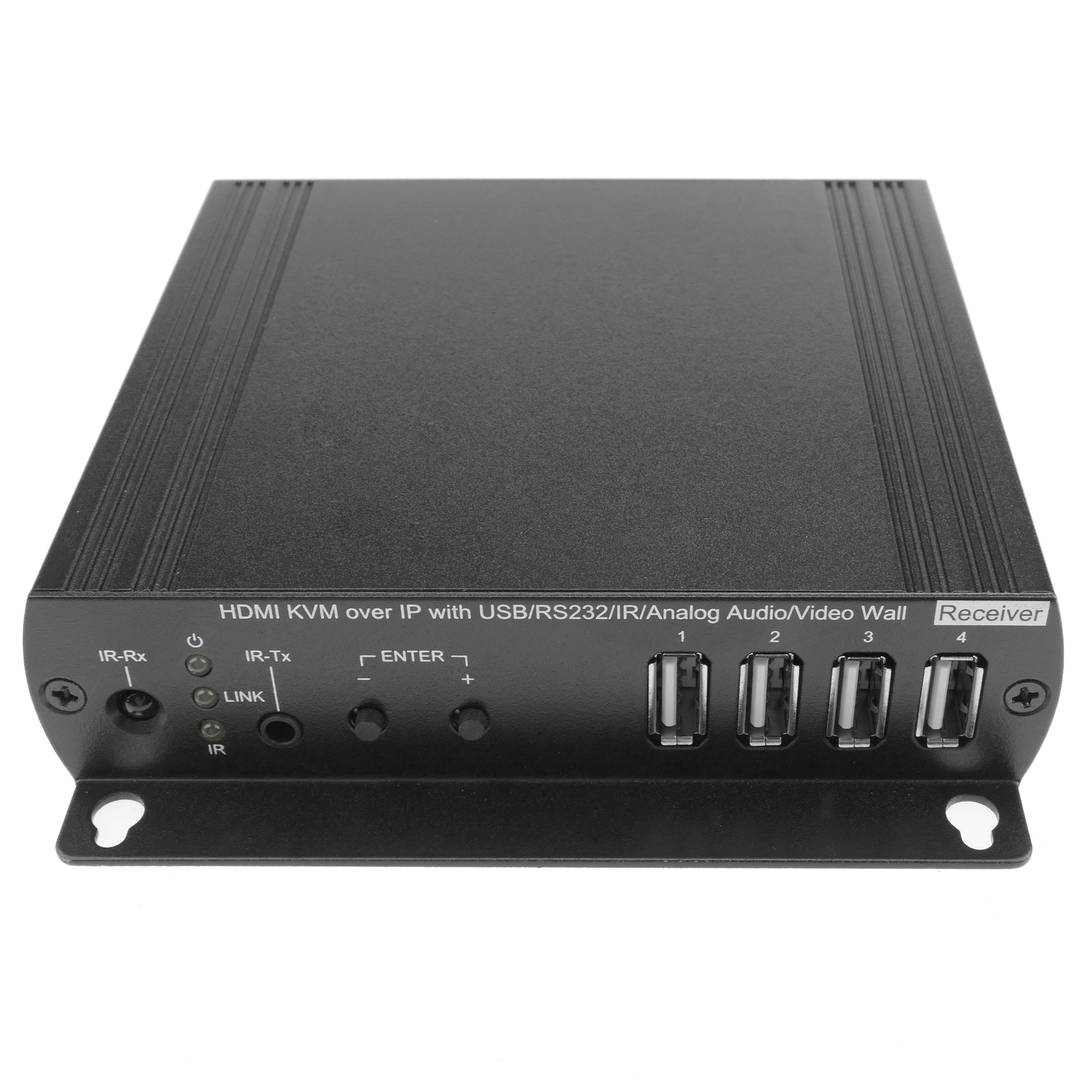
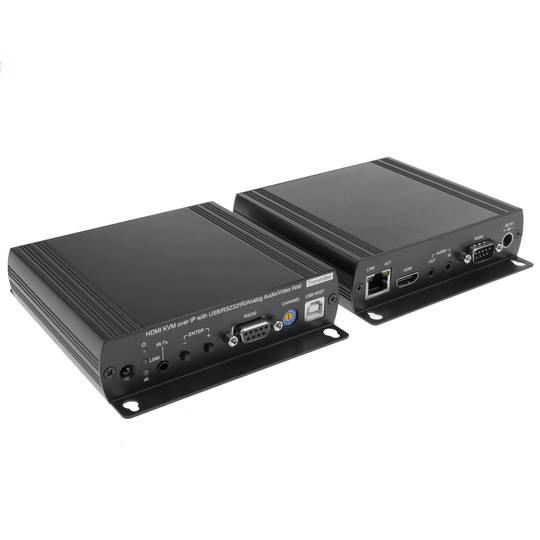
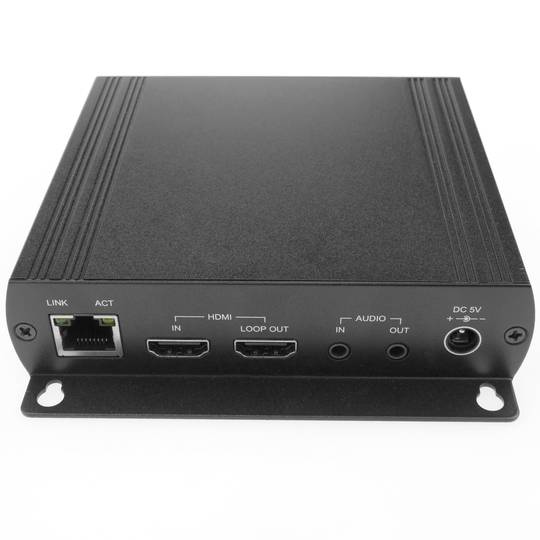
The HDMI interface allows transmission of video and audio between devices, supporting video resolutions 480i, 480p, 576i, 576p, 720p, 1080i, 1080p, 1440p, 1600p.
Different HDMI versions
HDMi 1.0
- December 2002.
- Maximum transfer of 4.9 Gbit/s.
- Supports up to 165 Mpixels/s video mode (1080p or UXGA 60Hz) and 8-channel/192 kHz/24-bit audio mode.
HDMI 1.2
- August 2005.
- Added support for One Bit Audio, used on Super Audio CDs, up to 8 channels.
- Availability HDMI Type A connectors for PC.
HDMI 1.3
- June 2006
- Bandwidth 340 MHz.
- Data rate of 10.2 Gbit/s.
- Dolby TrueHD and DTS-HD,
HDMI 1.4
- Send video and audio HD
- Data and 3D video.
- FullHD to XHD (eXtended High Definition) up to 4096 × 2160 pixels (24 frames per second) or 3840 × 2160 (30 fps).
- Audio Return Channel that will need fewer cables to have a surround sound system connected to the TV.
- Built-in Ethernet connection cable with speeds up to 100 Mbit/s own.
HDMi 2.0
- September 2013
- Bandwidth of up to 18 Gbit/s
- 4K @ 50/60 (2160p) video
- Up to 32 audio channels to a multi-dimensional immersive experience
- Up frequency 1536kHz for maximum audio fidelity sound
- Simultaneous Delivery 2 streaming video to multiple users on the same screen
- Streaming audio up to 4 users
- Support theater angle 21:9 radio
- Dynamic synchronization of video and audio in streaming
- Extensions of CEC commands to control multiple devices from a single point.
Type HDMI
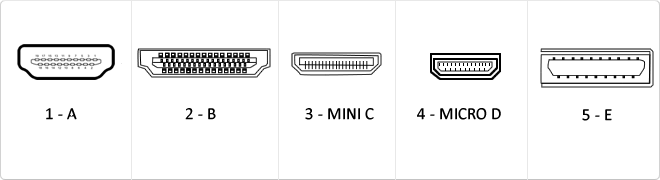
Type A (picture 1): It is the standard connector used in almost all devices.
Type B (picture 2): A connector rarely used.
Type C (picture 3): A connector widely used in tablets, smartphones and other devices.
Type D (picture 4): A connector used in smartphones.
Type E (picture 5): IA connector used for vehicles connectivity.
![]()
USB
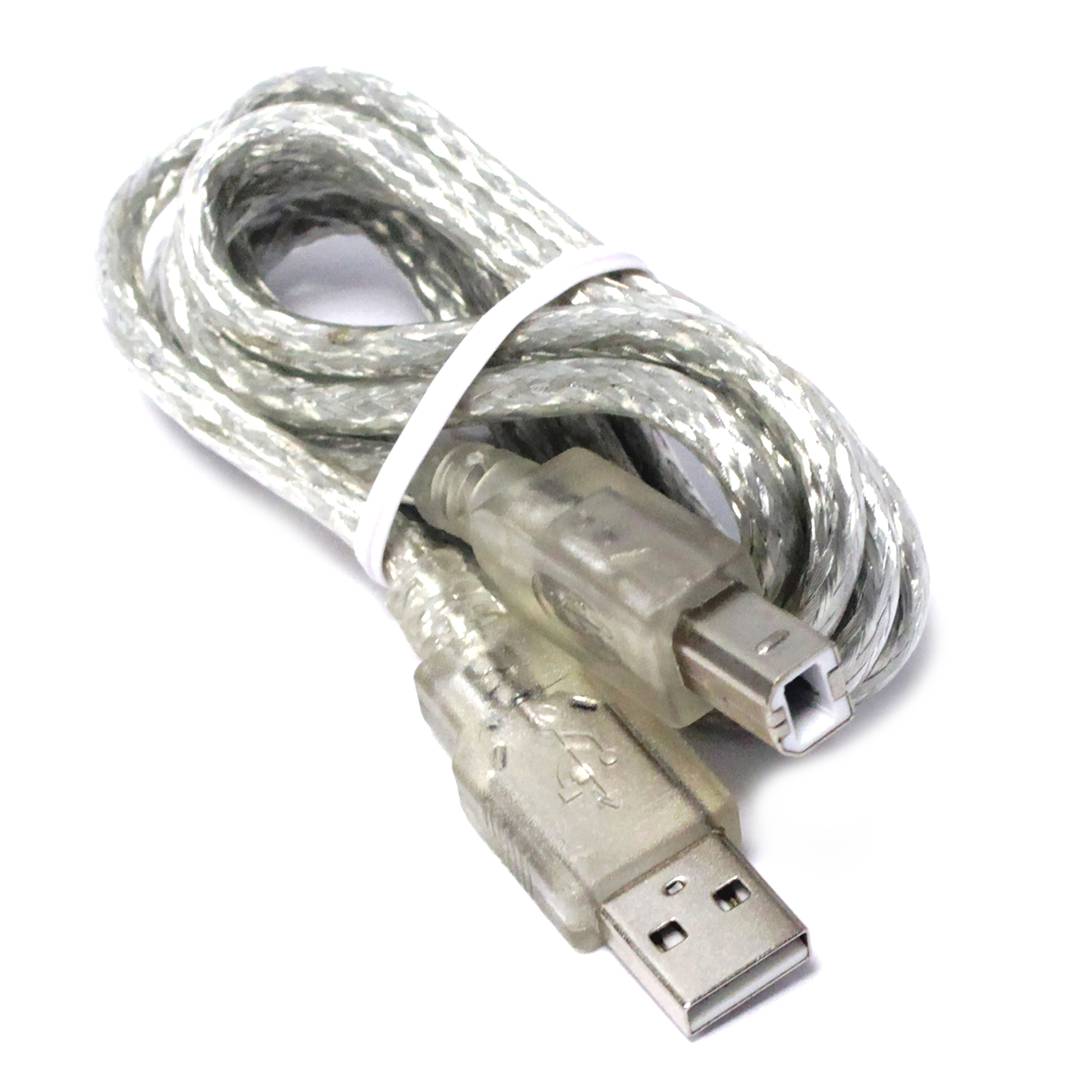
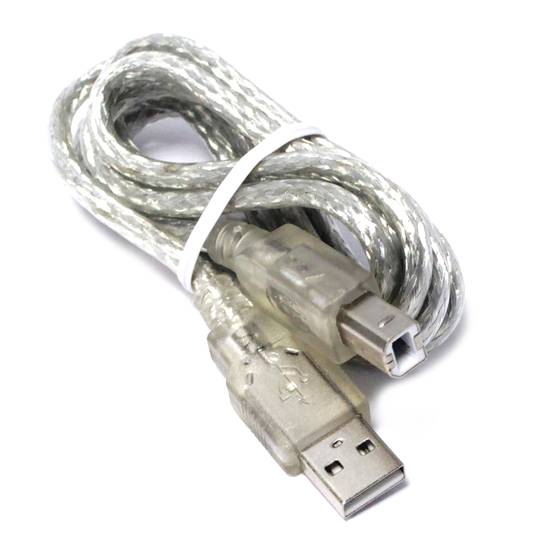
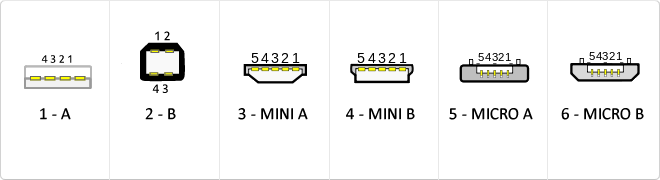
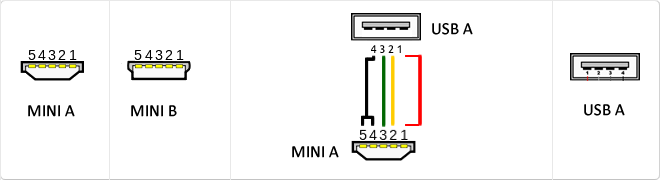
The USB (Universal Serial Bus) is a standard that defines the cables, connectors and used a bus to connect, communicate, computers, peripherals and electronic devices protocols Transmission Rates Low speed (USB 1.0). Transfer rate up to 1.5 Mbit/s (188 kB/s) used in keyboard, mouse ... transfer rate up to 12 Mbit/s (1.5 MB/s) High Speed ??(USB 2.0): Rate transferencia up to 480 Mbit/s (60 MB/s) SuperSpeed ??(USB 3.0) transfer rate up to 4.8 Gbit/s (600 MB/s) Connector Types 1 - USB type A (4 pin) 2. - USB type B (4 pin) 3 - Mini A (5-pin) 4 - Mini B (5-pin) 5 - Micro A (5-pin) 6 - Micro B (5-pin)
MicroUSB
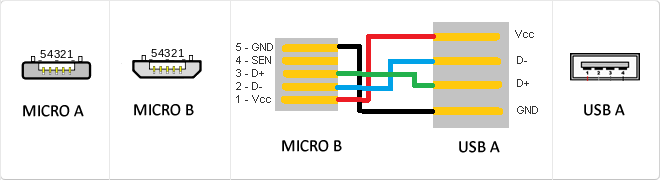
or horizontal. The micro USB with five pins, which pins identification (ID) Micro AB USB connectors special work. AB connectors with pin ID can allow the device to function as a connector A or B to standard USB technology. This gives the new smart phones and other devices the option to act as either a single storage device or as provi
Types of network cables (UTP, FTP, STP)
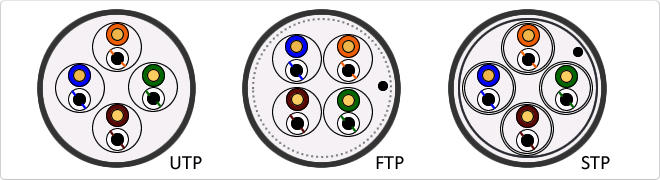
UTP cable is standard twisted pair is referred by its acronym UTP (Unshiedld Twiested Pair/Unshielded Twisted Pair). The major advantages of this cable are its low cost and ease of handling. Its main disadvantages are a higher error rate compared to other cable types and their limitations to work at high distances without regeneration. FTP is a type of cable caracteriza that each twisted pair is uniformly during creation. A comprehensive screening of all pairs is performed by a apantallante outer sheet. This technique allows to have similar characteristics to the shielded cable. STP is characterized by that each pair is covered with a metal mesh, in the same way that the coaxial cables, and the set of pairs is coated with a sheet apantallante. Referenced frequently with their acronym STP (Shield Twisted Pair/Shielded Twisted Pair)
Mini USB
The mini USB connectors are smaller than their standard counterparts and have USB fifth pin. The fifth pin is known as the pin ID and is typically not used in mini USB connectors. It was designed to allow later improved USB technology. The mini USB connectors have a cycle life of at least 5000 connections and disconnections, which accommodates the mobile nature of the devices that are designed to interact. The standard USB connectors are generally used with devices that are stationary and not disconnected often.
Hz
One hertz is one cycle per second, meaning repeating cycle as an event. For example, hertz is applied physics measuring the number of times for a second wave (either acoustic or electromagnetic) is repeated or can be applied, among other uses, to ocean waves that reach the Beach vibrations per second or a solid. The quantity that measures the frequency hertz is called,in this regard, the inverse of the period. One hertz is an oscillation frequency of suffering a particle over a period of one second.
Communication Series
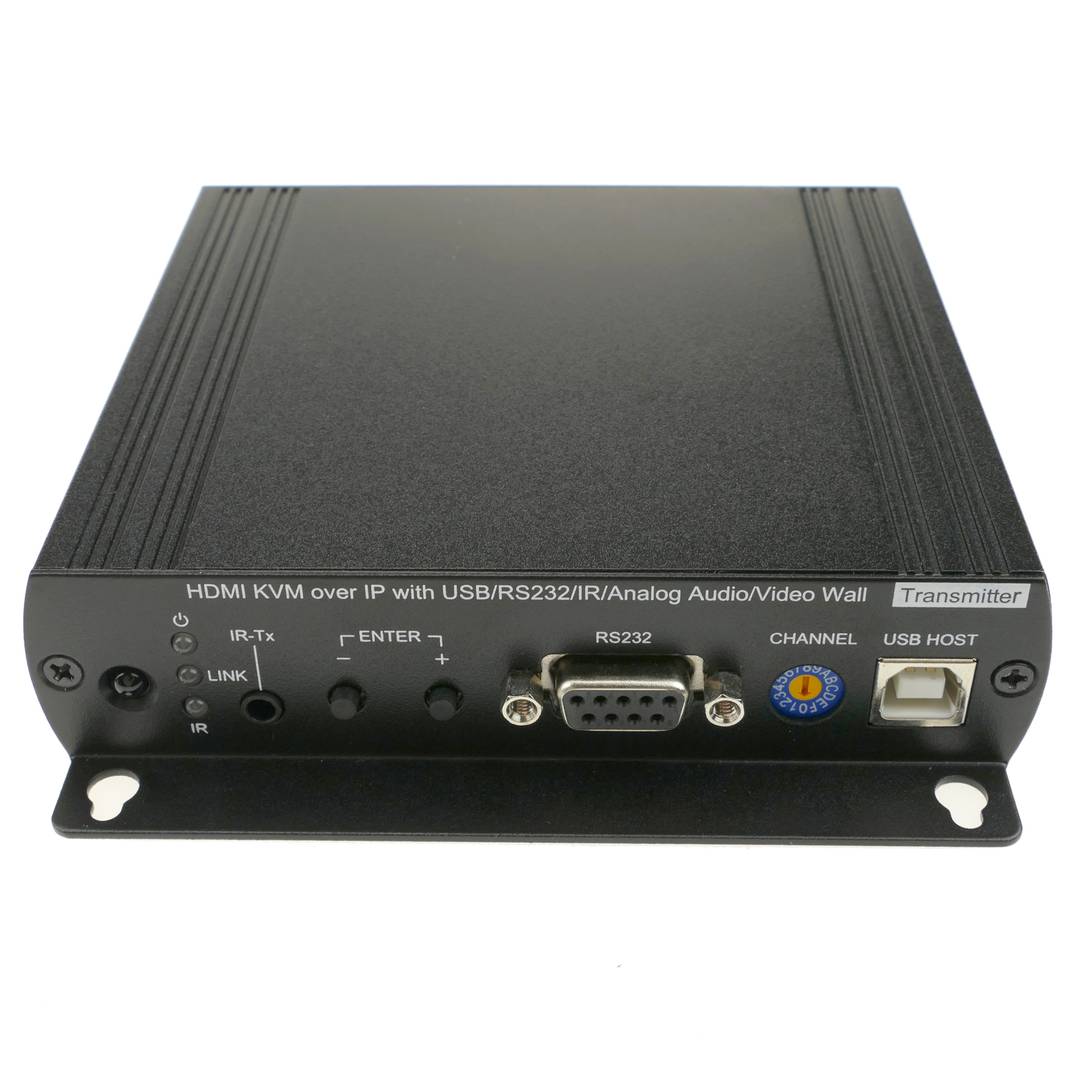
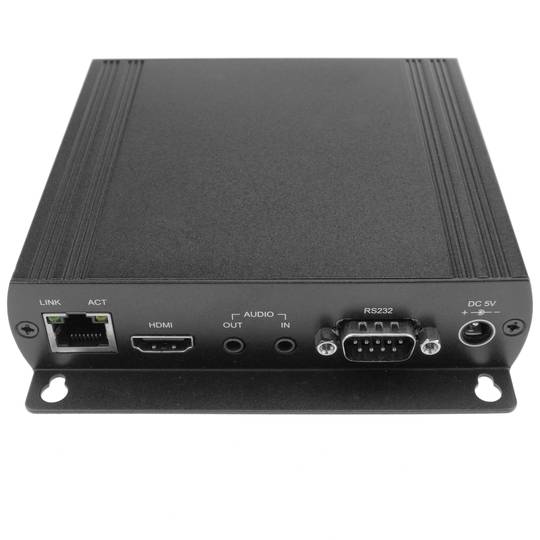
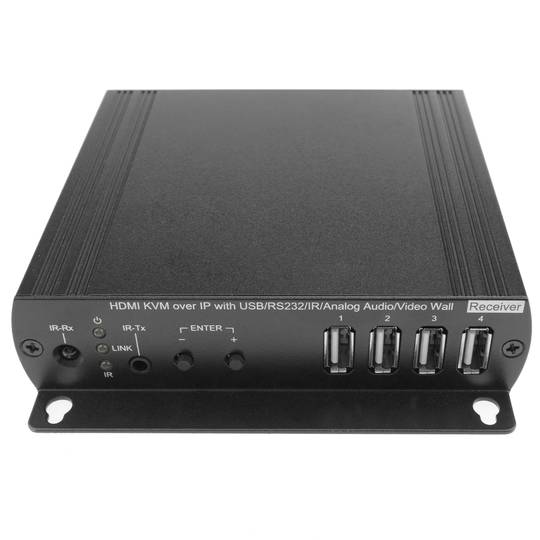
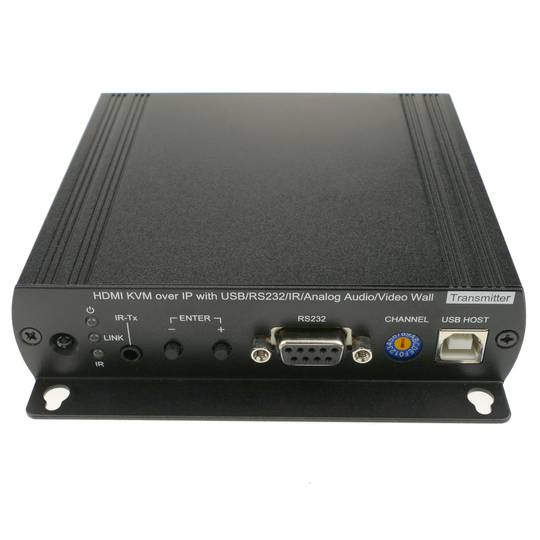
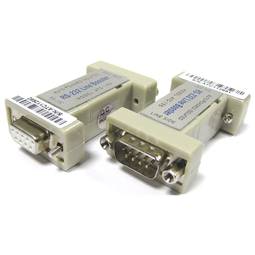
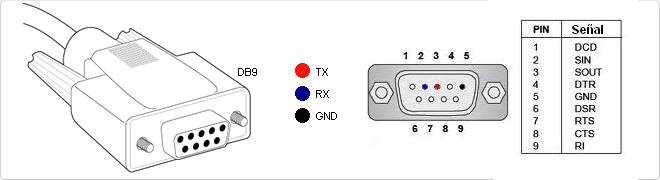
RS-232 (Recommended Standard 232, also known as EIA/TIA RS-232C) is an interface that designates a standard for the exchange of a series of binary data between a DTE (Data Terminal Equipment) and DCE (Data Communication Equipment , Data Communication Equipment), although there are others in which the RS-232 interface is also used. An equivalent definition published by the ITU is called V.24. The RS-232 is a connectorDB-25 type (25-pin), although it is normal to find the version of 9-pin (DE-9, or popularly also called DB-9), cheaper and even extended to certain types of peripherals (such as serial mouse PC).
1080p
1080p is an alternative name for the maximum resolution used in high definition television (HDTV). The number 1080 represents 1080 lines of vertical display resolution, while the letter p stands for progressive scan and non-interlaced.
Reversible USB Type-C
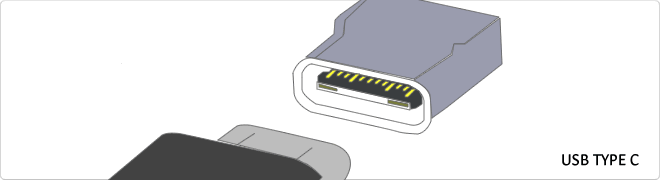
USB-C reversible USB version called USB cables USB Type C Type C or USB reversible. The important thing is this type of USB is that it has top and bottom. So you may save the blows that are given involuntarily to connect the connector upside down. It is also characterized in that when connected will make an audible "click". The USB-C or reversible USB cables can reach 10 Gbps and support USB 3.0, 3.1Use is estimated up to 10,000 applications and has some measures 8.4mm x 2.6mm is also compatible with USB 3.1 and USB indicate creators
RS232
The RS232 connector is a connector type 9-pin connector is popularly called Series. It is a connector that was once widely used by various components of the PC, such as a mouse, keyboard ... but over time it has fallen into disuse and replaced by the USB connector trying to emulate the latest version number. It is currently used by robots, elevators, POS and industrial machinery.
Gbps
Gbps (Gb/s, Gbit/s) is the speed with which information is transmitted. It is normally used to measure the speed information in the ADSL/fiber addresses transmitted.
- 1 Gb/s is equivalent to 1,000,000,000 b/s.
- 1 Gb/s is equivalent to 1000000 kb/s.
- 1Gb/s equals 1000 Mb/s.
VDC
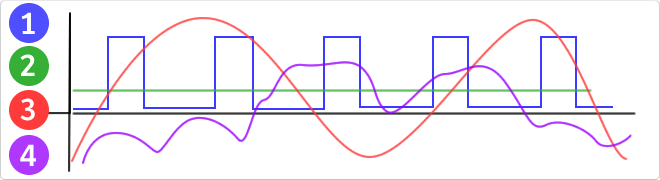
VDC would be the abbreviation for Volt Direct Current which translated would volts direct current. The idea of ??this type is unidirectional current to the load. Direct current is normally produced by batteries, thermocouples, solar cells and a dynamo electric machine type. The direct current can flow in conductors such as wires, but may also flow through semiconductors, insulators ... In the image: 1 - current per pulse 2 - Direct Current (DC) 3 - Alternating Current (AC) 4 - Variable Current
Jack connector
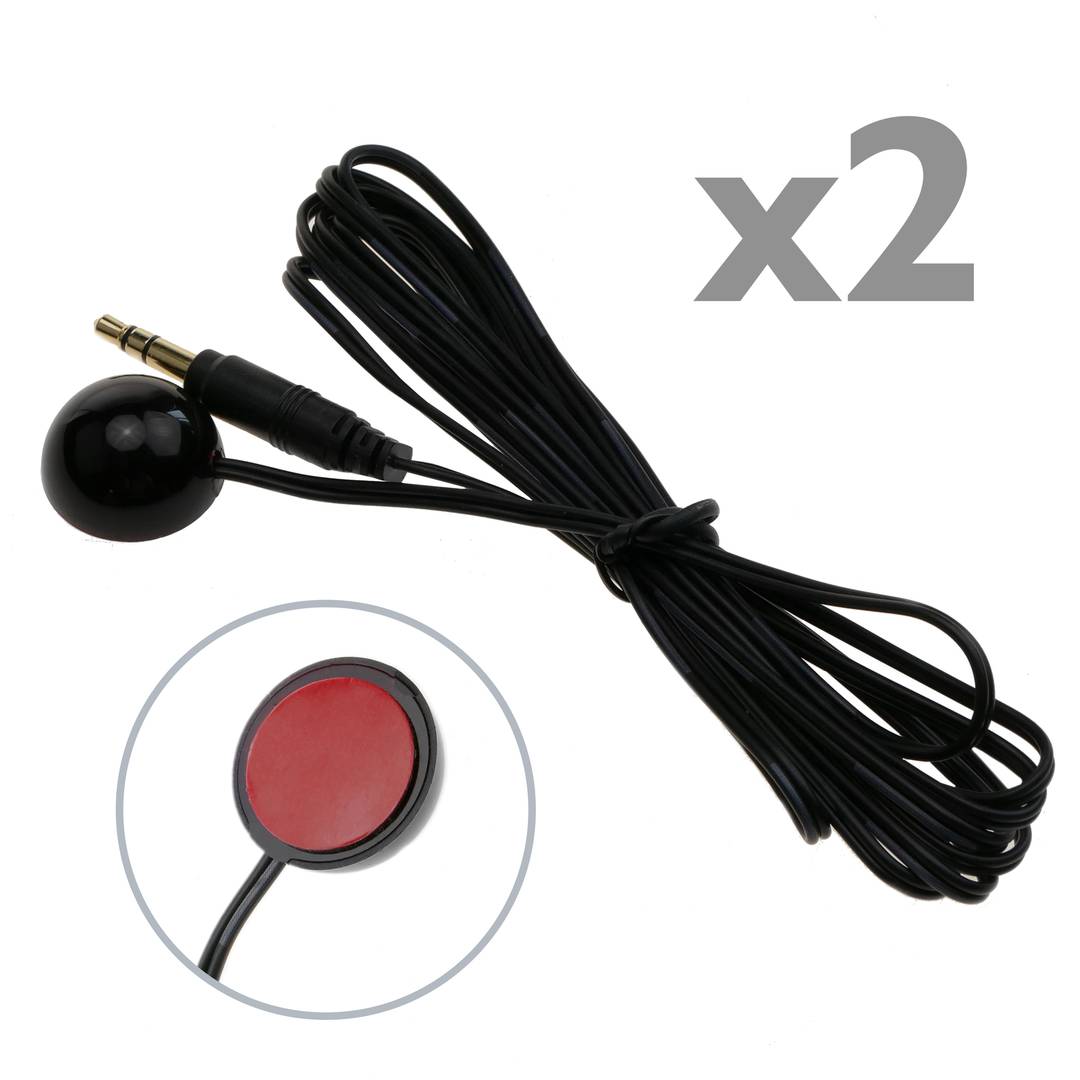
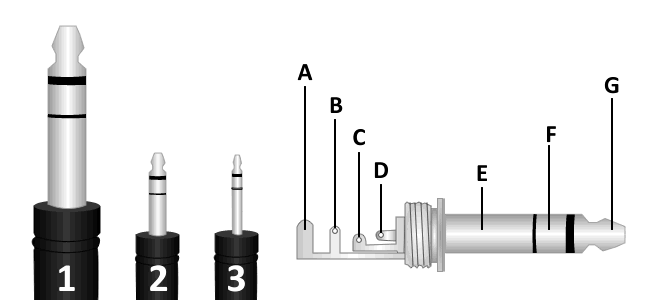
We can find 3 types of jack connector, monaural TS connector (tip-sleeve), TRS (tip-ring-sleeve) and TRRS stereo plug (tip-ring-ring-sleeve) which is used in most mobile devices, tablets, MP3 etc ...
We can difference these 3 types of connectors according to their diameter:
1. 6.35 mm jack connector or TS.
2. 3.5mm minijack connector or TRS, is the most common, usually used in headphone's output of portable devices.
3. 2.5mm jack connector or TRRS.
It consists of a maximum of three connecting parts being called the largest mass or negative polarity and two smaller size located more towards the end of the connector,
The called positive that correspond to each channel, such three-part plug can transmit signals in two separate channels, also known as stereo signals. There's a mono version, consisting of only two parts, a negative and a positive.
A. Protector
B. Stem
C. Ring
D. Tip
E. Kindred
F. Ring (Signal Right)
G. Tip (Signal Left)
DC jack connector
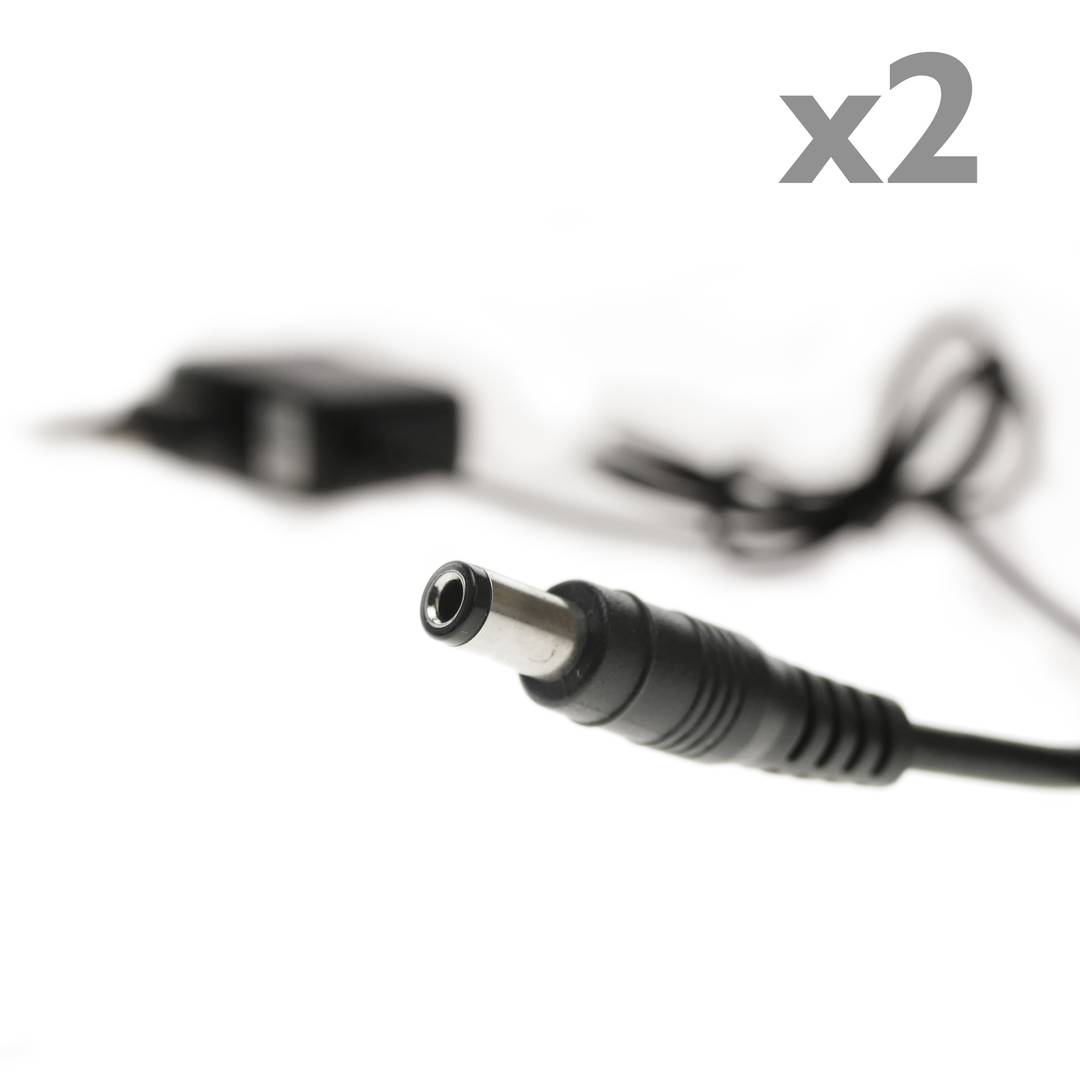
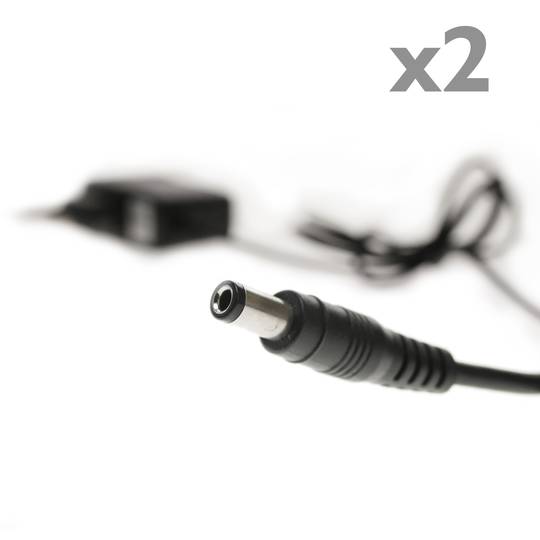
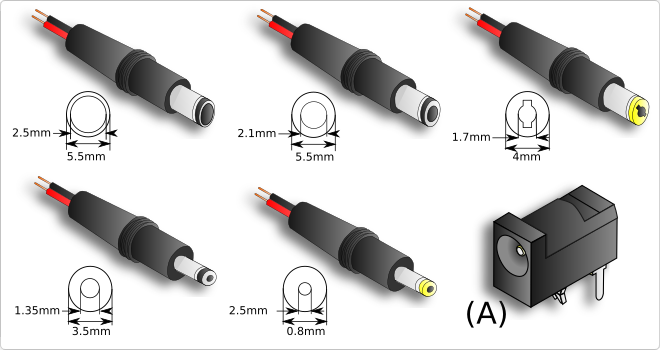
Inside the different types of connectors for power supply we find one of the most common, the DC jack. Used in most connections in electronic devices such as routers, laptops, printers etc ... is the most used due to its easy assembly and connection. These connectors are mostly used in DC power supplies and installations.
The connector is cylindricalAnd we find its version in male and female format (A). The male connector is composed of the outer and inner metal part, where in each of them the energy travels, normally the inner part is used for the positive pole and the outside for the negative, but may vary according to manufacturer.
This type of connector is found in many diameters, the most common are 3.5mm and 5.5mm. Although we can andThere are several measures in terms of length and outer or inner diameter.
Its installation is simple, we can find several types of connectors, pair to weld or to screw with terminal block, it will depend on the user to choose the most suitable in its installation.
When purchasing the male connector to perform a repair we must know its diameter, length of the connector and internal diameter. If we proceed with aTo new installation only we must make sure that the male and female connector are of the same characteristics.
![]()
USB 3.0
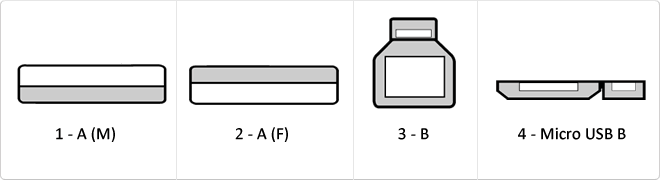
USB 3.0 is the second major revision of the standard Universal Serial Bus (USB) connectivity for computing. USB 3.0 has transmission speeds of up to 5 Gbit/s, which is 10 times faster than USB 2.0 (480 Mbit/s). Connector Types 1 - USB type A plug 2 - 3 USB type A female - USB type B 4 - Micro USB B
RJ45
When we talk about RJ45 ("Registered Jack" 45) we refer to a telecommunications network interface for wired connection of voice and data equipment.
This connector has 8 pins or connections and may have a specific category depending on the data transfer speed and bandwidth (category 5e, 6, etc.)
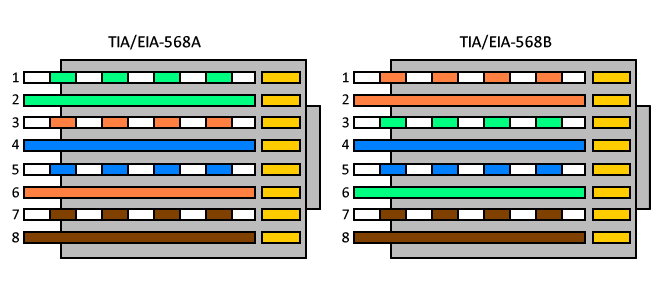
The common application is their use in Ethernet network cables under TIA/EIA-568-B standard that defines the arrangement of pins (pinout), but can also be used for other applications.
- Direct pin diagram:
EIA-568A
Pin No.1: WHITE-GREEN
Pin No.2: GREEN
Pin No.3: WHITE-ORANGE
Pin No.4: BLUE
Pin No.5: WHITE-BLUE
Pin No.6: ORANGE
Pin No.7: WHITE-BROWN
Pin No.8: BROWN
EIA-568B
Pin No.1: WHITE-ORANGE
Pin No.2: ORANGE
Pin No.3: WHITE-GREEN
Pin No.4: BLUE
Pin No.5: WHITE-BLUE
Pin No.6: GREEN
Pin No.7: WHITE-BROWN
Pin No.8: BROWN
- Schematic of crossed pins:
The crossover cable has one end with EIA-568A scheme and the other one with EIA-568B.